Home › Construction Gantt
Construction Gantt: a Gantt chart and site diary app for builders on iPhone, iPad and Mac
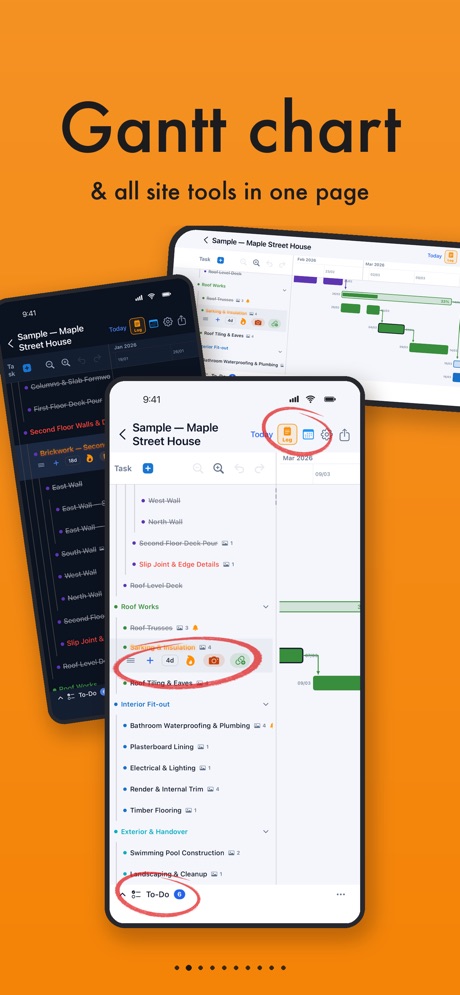
Plan the whole job on a Gantt chart that counts working days and skips weekends and public holidays. Move one task and the linked tasks after it move too. Keep a photo site diary with the weather logged for you, and run the team from the same app.
Get it on the App Store Builder FAQ7-day free trial on every plan · from A$2.99/month on the Australian App Store · English and Simplified Chinese

At a glance
| What it is | A construction scheduling (Gantt chart) app with a photo site diary, to-dos, calendar reminders, time on site and team sharing |
|---|---|
| Built for | Residential builders, sub-contractors, renovation teams and owner-builders. Also suits any staged job with a site record to keep. |
| Devices | iPhone and iPad (iOS 17 or later), Mac with Apple silicon (macOS 14 or later). No Android or web version. |
| Languages | English, Simplified Chinese |
| Price | Monthly subscription through the App Store, from A$2.99/month. 7-day free trial on every plan. No free plan. |
| App Store | apps.apple.com/au/app/construction-gantt/id6766520476 |
| Support | [email protected] · Support page |
What it does
Six tools that share one project, so a change in one place shows up everywhere else.
Gantt schedule
- Drag-and-drop Gantt chart with tasks, subtasks (up to 5 WBS levels) and dependencies
- Linked tasks reschedule themselves when an earlier task moves
- Working-week and public-holiday aware for your country and state
- Parent durations roll up from subtasks, or set them by hand
- Export the program to PDF, share or print
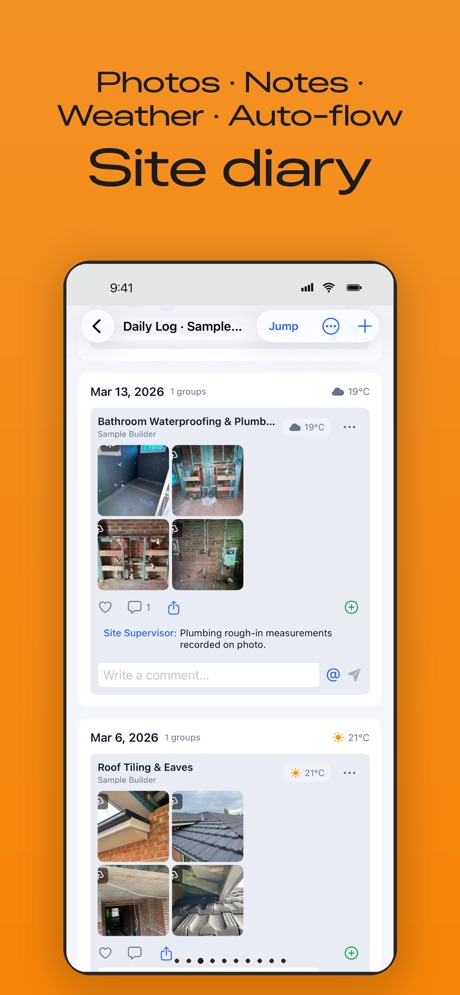
Site diary (Daily Log)
- Photo groups tied to each task, with weather and GPS recorded
- Comments, likes and @mentions that notify teammates
- Photo editor: crop, mark up, and blur faces or number plates
- Export daily logs for a date range
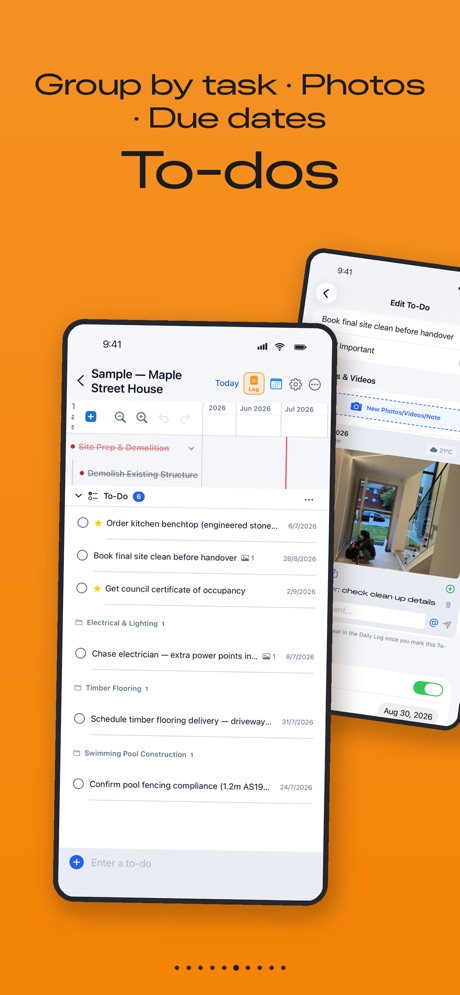
To-dos and punch lists
- To-dos with subtasks, due dates, reminders, photos and videos
- Overdue items roll forward to Today until ticked off
- Completed work goes into the Daily Log
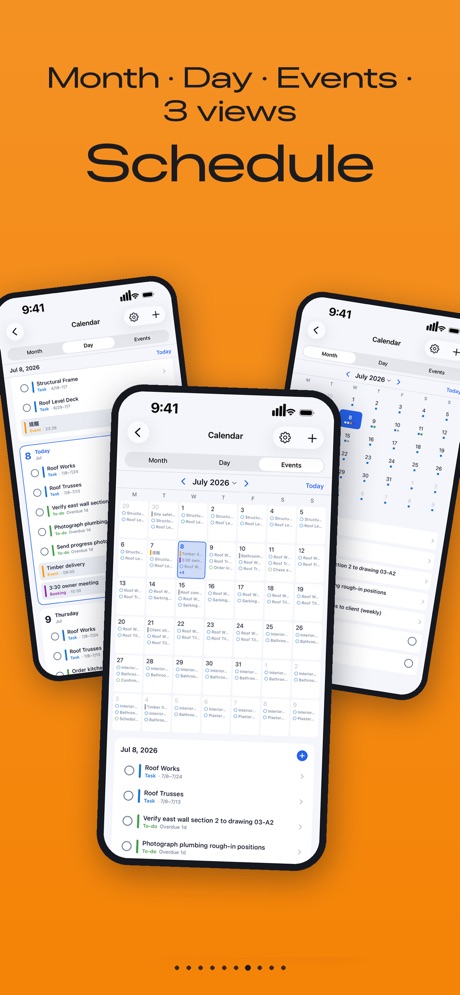
Calendar and reminders
- Month, Day and Events views
- Tasks and to-dos show in the calendar automatically
- Deliveries, inspections, meetings and bookings with alarm reminders
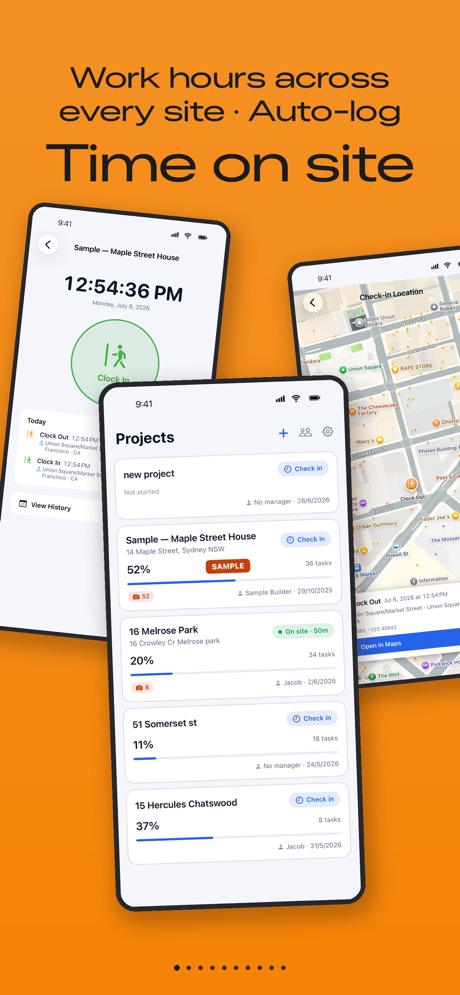
Time on site
- Clock in and clock out with location
- Work-hour history across every site
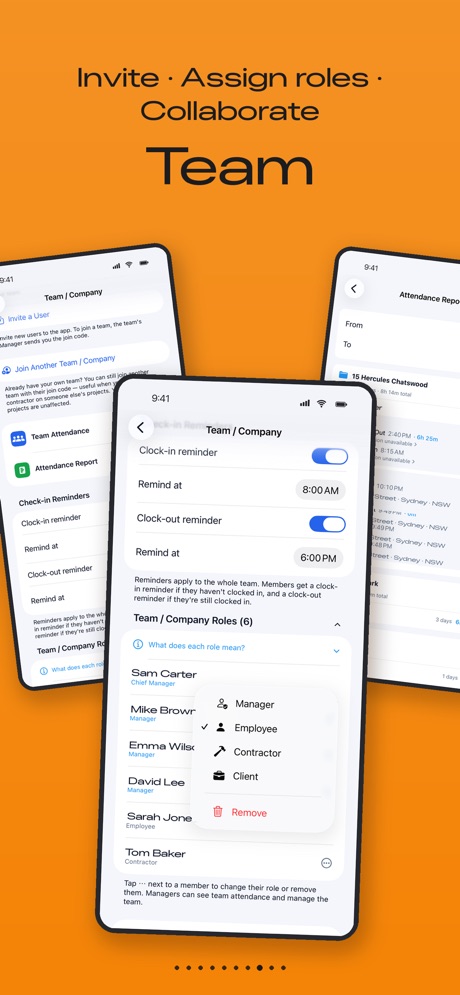
Team
- Invite people with a join code, on any plan
- Roles for owners, managers, employees, contractors and viewers
- Contractors and viewers never use a seat
- Cloud sync across iPhone, iPad and Mac
A typical week with it
- Monday, in the ute: open the Gantt chart, check what’s on this week and which inspections are booked.
- Rain on Tuesday: push framing out one day. Roofing, rough-in and everything linked behind it moves with it, around the public holidays.
- On site: snap photos against the task. The weather is logged. Tag the plumber with @ about the set-out.
- Friday: export the program and the week’s daily log to PDF and send them to the owner.
New to construction programs? Read our guide to building a residential construction schedule in NSW, or see how the app compares with spreadsheets, Buildxact, Tradify, Buildertrend and Procore.
Plans and prices
Every plan includes unlimited projects and tasks and all the core tools. Plans differ by seats, storage and how invites work. Prices are as listed on the Australian App Store on 23 October 2026. Apple bills monthly through your Apple ID.
| Plan | Price | Seats | Storage | Notes |
|---|---|---|---|---|
| Unlimited Planner | A$2.99/month | 1 | 200 MB | Invited people get 30 days free each |
| Pro | A$12.99/month | 1 | 2 GB | Invited people get 30 days free each |
| Team | A$49.99/month | 5 | 15 GB | Invited members stay while your plan is active |
| Business | A$129.99/month | 15 | 60 GB | As Team, plus Project Story with AI writing |
| Enterprise | A$199.99/month | 30 | 200 GB | As Team, plus Project Story with AI writing |
Contractors and viewers never use a seat. Cancelling during the free trial ends the trial straight away. Cancel at least 24 hours before renewal in Settings → your name → Subscriptions.
Start the 7-day free trialQuestions builders ask
Can I make a construction Gantt chart on my iPhone?
Yes. Construction Gantt is built for the phone first. Add tasks and subtasks (up to 5 levels), set durations, link tasks to the ones before them and drag bars to reschedule. The same program syncs to your iPad and Mac.
Does it skip weekends and NSW public holidays?
Yes. Each project has its own working week, and the app loads public holidays for your country and state. Durations are counted in working days, so a task that runs over Easter finishes on the right day. You can add your own Christmas shutdown or custom holidays.
If the slab gets pushed back, do I have to move every task by hand?
No. Link the tasks and move one: every task that depends on it moves too, by the right number of working days.
Can my subbies and the client see the program without paying?
Contractors and viewers never use a seat, so you can invite them for free. Invite people with your company join code. On Team, Business and Enterprise, invited members keep access while your subscription is active. On Unlimited Planner and Pro, each invited person gets 30 days free, then needs their own plan.
Can I print the program or send it to the owner?
Yes. Export the Gantt chart to PDF to share or print, and export the daily log for a date range.
Does it keep a site diary?
Yes. Take photos against each task. The app records the weather and GPS location, and your team can comment and @mention each other. Finished to-dos also go into the Daily Log.
Can it track my crew's hours on site?
Yes. One-tap clock in and clock out with location, plus a work-hour history across every site.
How much does it cost?
There is no free plan. Every plan starts with a 7-day free trial, then it is a monthly subscription through the App Store. On the Australian App Store the plans are Unlimited Planner A$2.99, Pro A$12.99, Team A$49.99, Business A$129.99 and Enterprise A$199.99 a month (as listed on 23 October 2026). Every plan has unlimited projects and tasks. Cancel any time in your Apple ID settings.
Does it do quotes, estimates or invoices?
No. Construction Gantt is for the program, the site diary, to-dos, reminders, time on site and the team. For estimating, quoting and invoicing, use your estimating or accounting software alongside it. Our free variation price calculator and progress payment calculator help with the numbers.
Is there an Android or web version?
No. It runs on iPhone and iPad (iOS 17 or later) and on Macs with Apple silicon (macOS 14 or later).
Does it work without phone reception?
Yes. Changes are saved on the device and sync when you are back online.
Is it available in Chinese?
Yes. The app is in English and Simplified Chinese (简体中文).
Who makes Construction Gantt?
BUILDATECH PTY LTD, a software company in Sydney, NSW. The App Store currently shows the developer as Mengtong Pan while the listing moves to the company’s developer account. Support: [email protected].
Not the right fit if…
- You need estimating, quoting, invoicing or accounting in the same app.
- Your team is on Android or needs a web browser version.
- You run large commercial projects that need document control, RFIs and tender management.